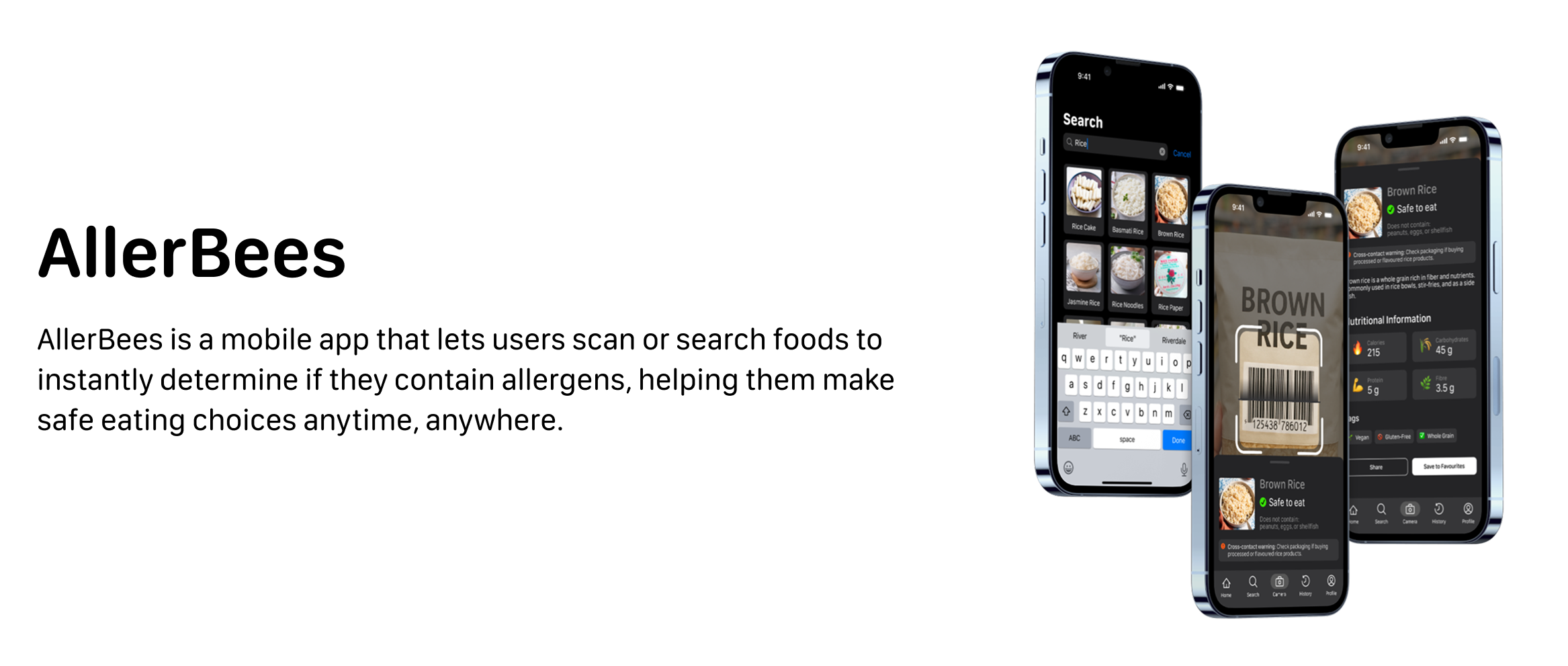

For ElleHacks 2025, our group created AllerBees, an app designed for all age groups to help identify allergens in food. Allergies affect people of all ages, and AllerBees makes it easy to check ingredients based on personal dietary needs.
Define
Problem
Food allergies affect millions of people worldwide, with an estimate of more than 3 million Canadians having at least one food allergy. For many, this makes everyday decisions about what to eat stressful and sometimes even dangerous. At events like hackathons, where snacks are often shared in fast-paced, social environments, some may struggle to quickly determine if the food available is safe for them to eat.
Statistic from https://foodallergycanada.ca/
Solution
To address this problem, we created AllerBees, a mobile application that allows users to easily scan a barcode or search for a food item to instantly know if it’s safe for them. By providing a clear “green light” when a food is allergen-free, AllerBees helps users make confident decisions about what they eat, without the uncertainty or risk.
Design
Wireframes
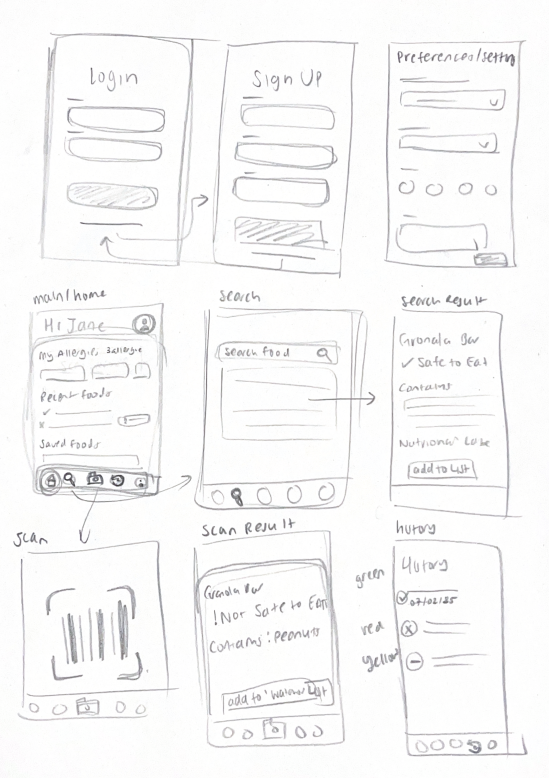
I created this wireframe to map out the main pages, organize their components, and better understand how they will interact with one another. This step helped visualize the user flow and ensure the app’s navigation feels intuitive.
Prototype
Introducing Allerbees, an application built to be always accessible and ready whenever users need it. We kept things simple by focusing on four main pages that cover the core features, making it easy for anyone to quickly find what they’re looking for.
Pages
🏠 Home
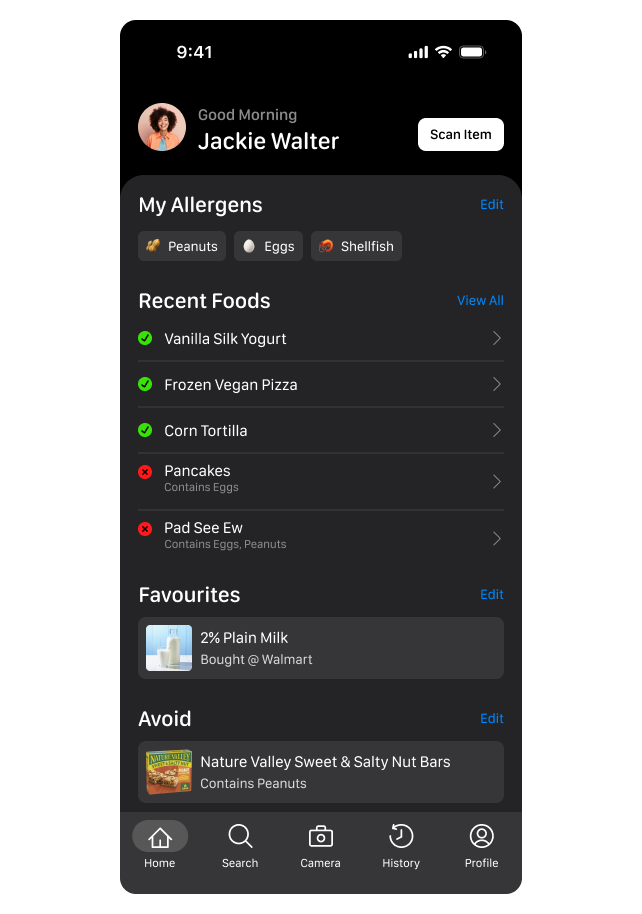
The Home page is the app’s hub, letting users quickly scan foods, view recent items, and see saved favorites or foods to avoid. It’s simple and action-focused for fast access.
🔍 Search
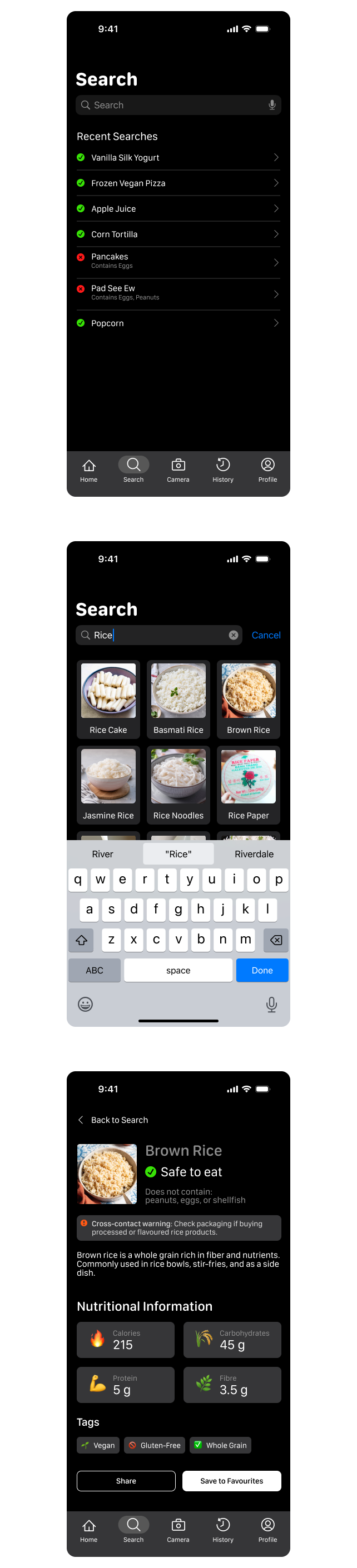
The Search page lets users manually type foods to check safety, ideal for items without barcodes.
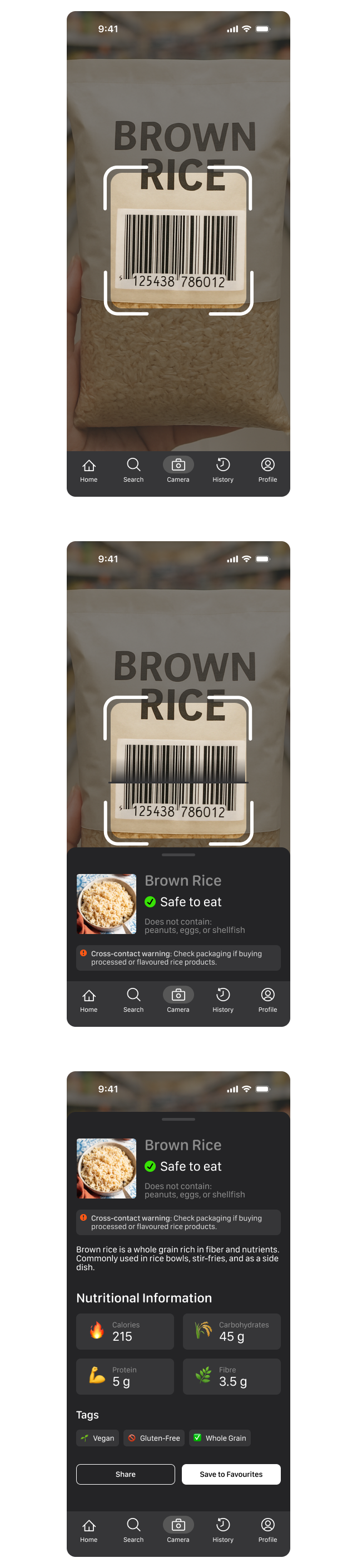
📷 Camera
The Camera page lets users scan barcodes for instant allergen safety results.
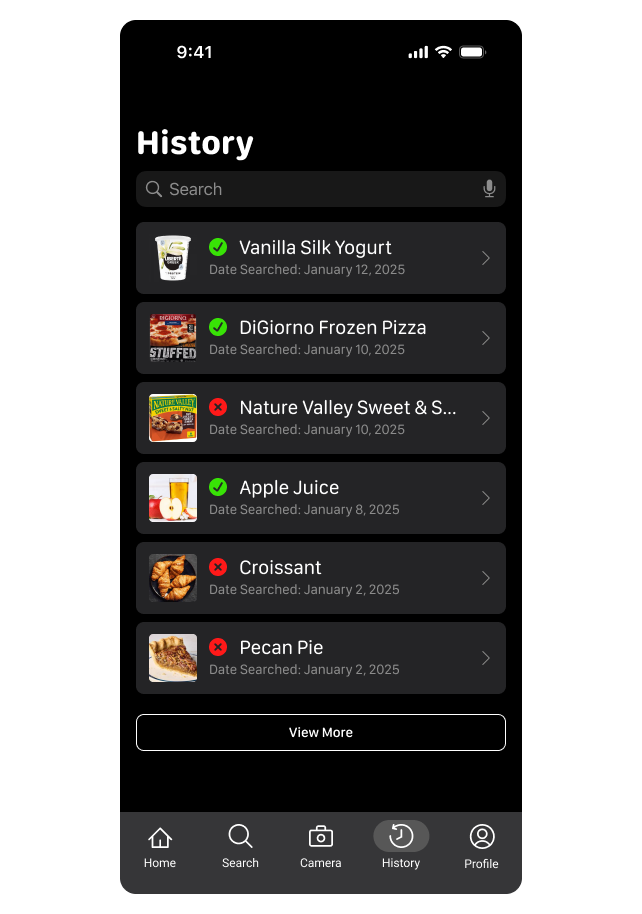
📜 History
The History page tracks previously scanned or searched foods, letting users quickly revisit past items and maintain a personal record of safe and unsafe foods.
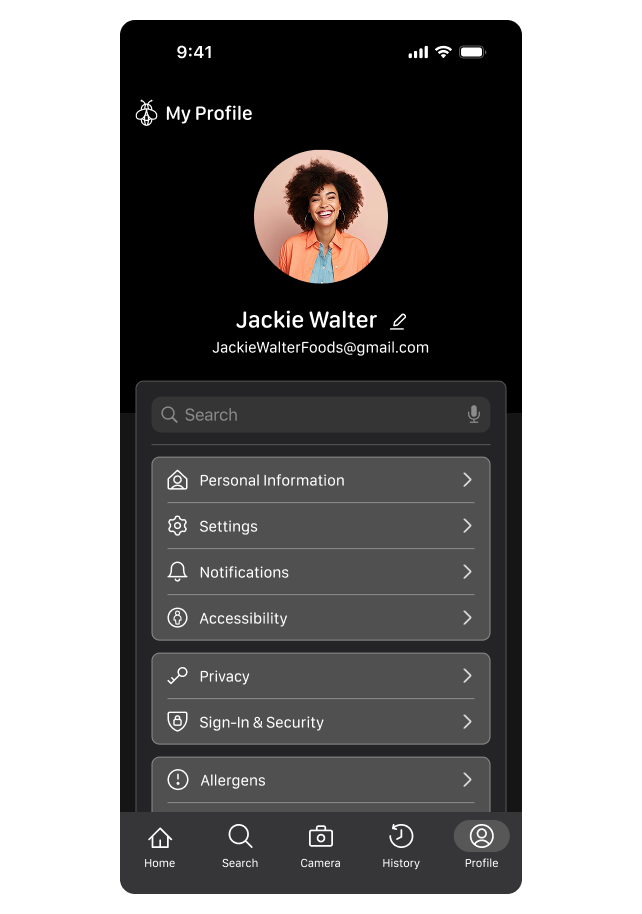
👤 Profile
The Profile page lets users manage personal info, update allergens, and adjust app preferences to keep the app personalized.
Testing
Taking a Step Back
Taking a step back, we revisited our initial prototypes and made a few adjustments based on early team feedback. These design decisions came from quick, informal testing within the team, helping us refine the user experience before moving forward.
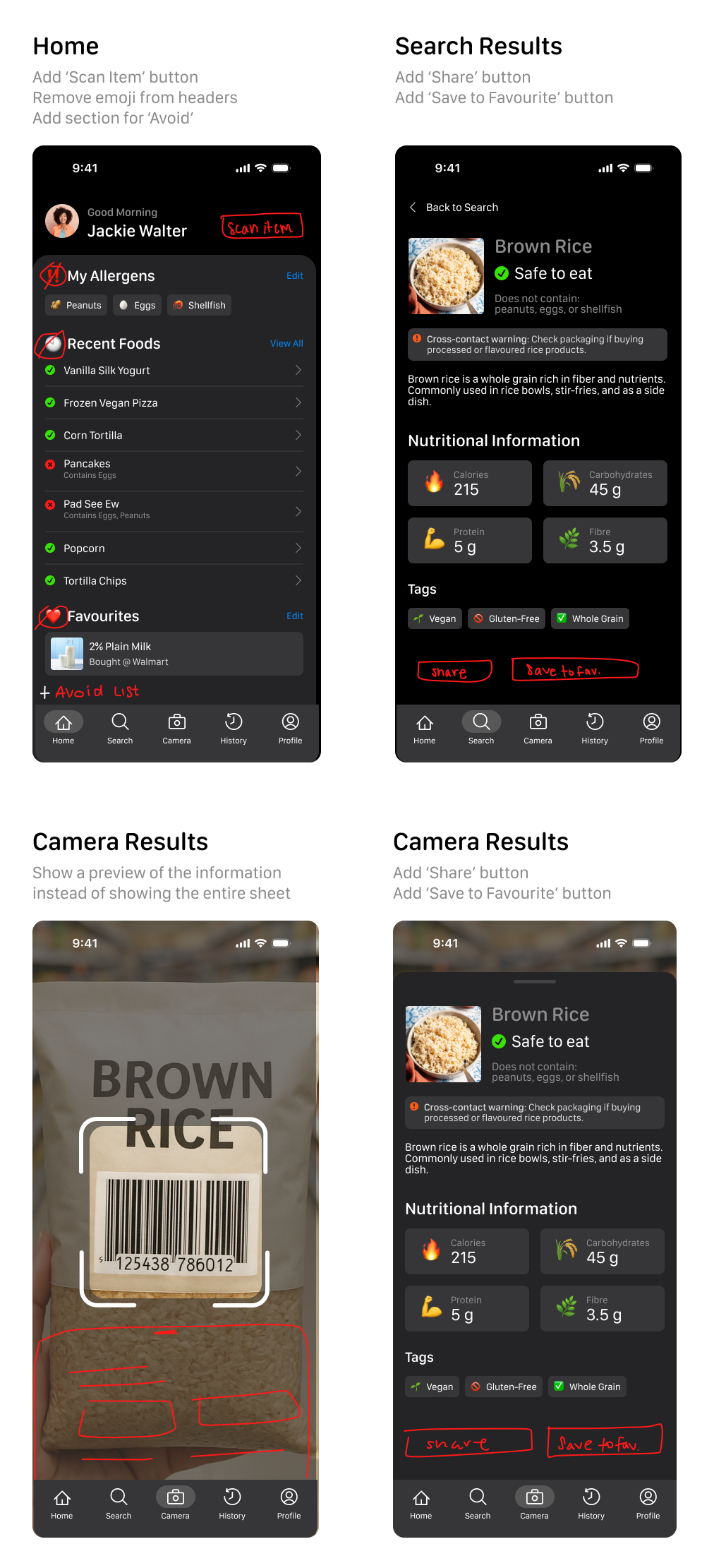
With more time, testing with a broader group would have allowed us to gather more objective insights and validate our design decisions.
High Fidelity Mockups
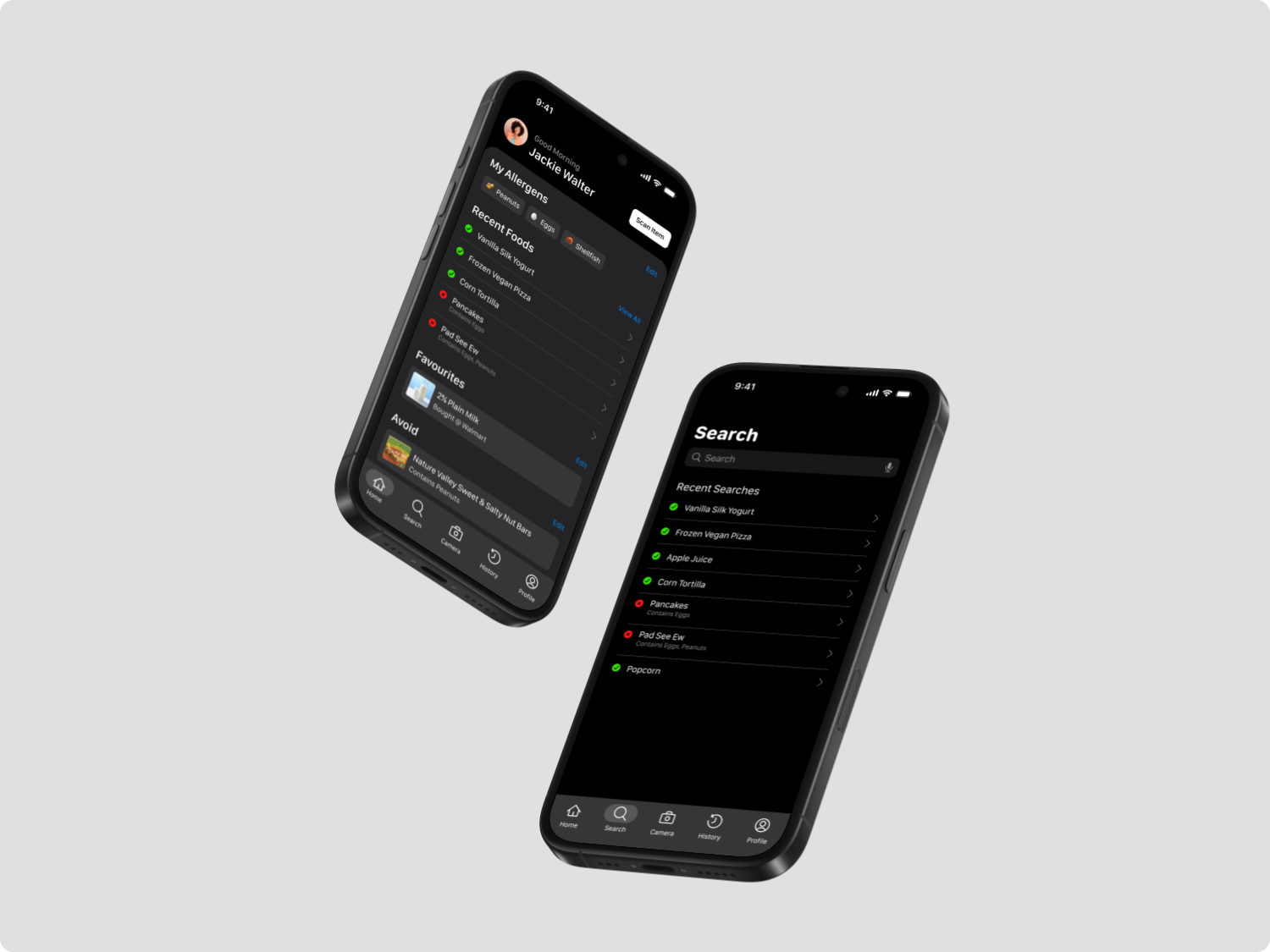
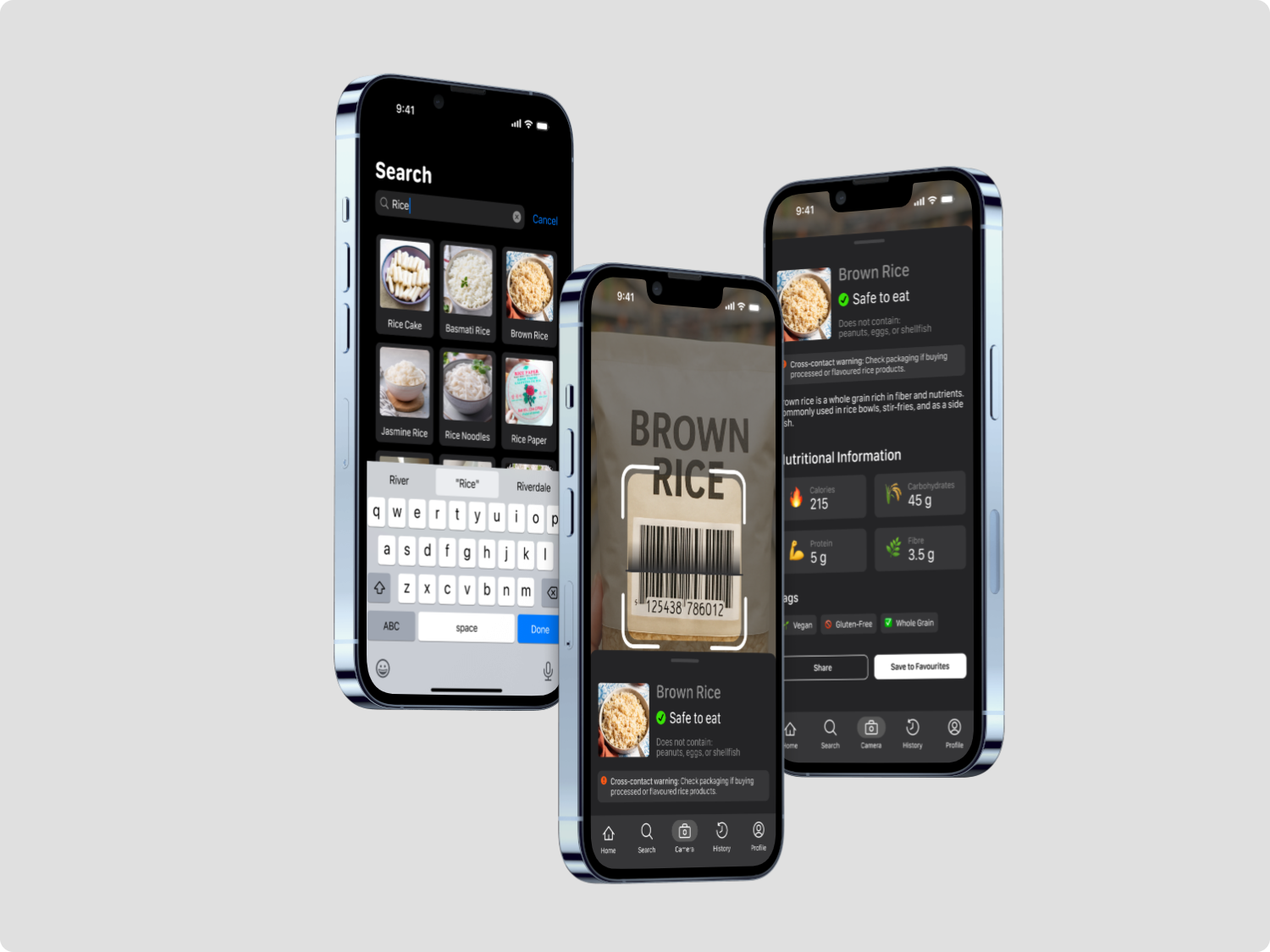
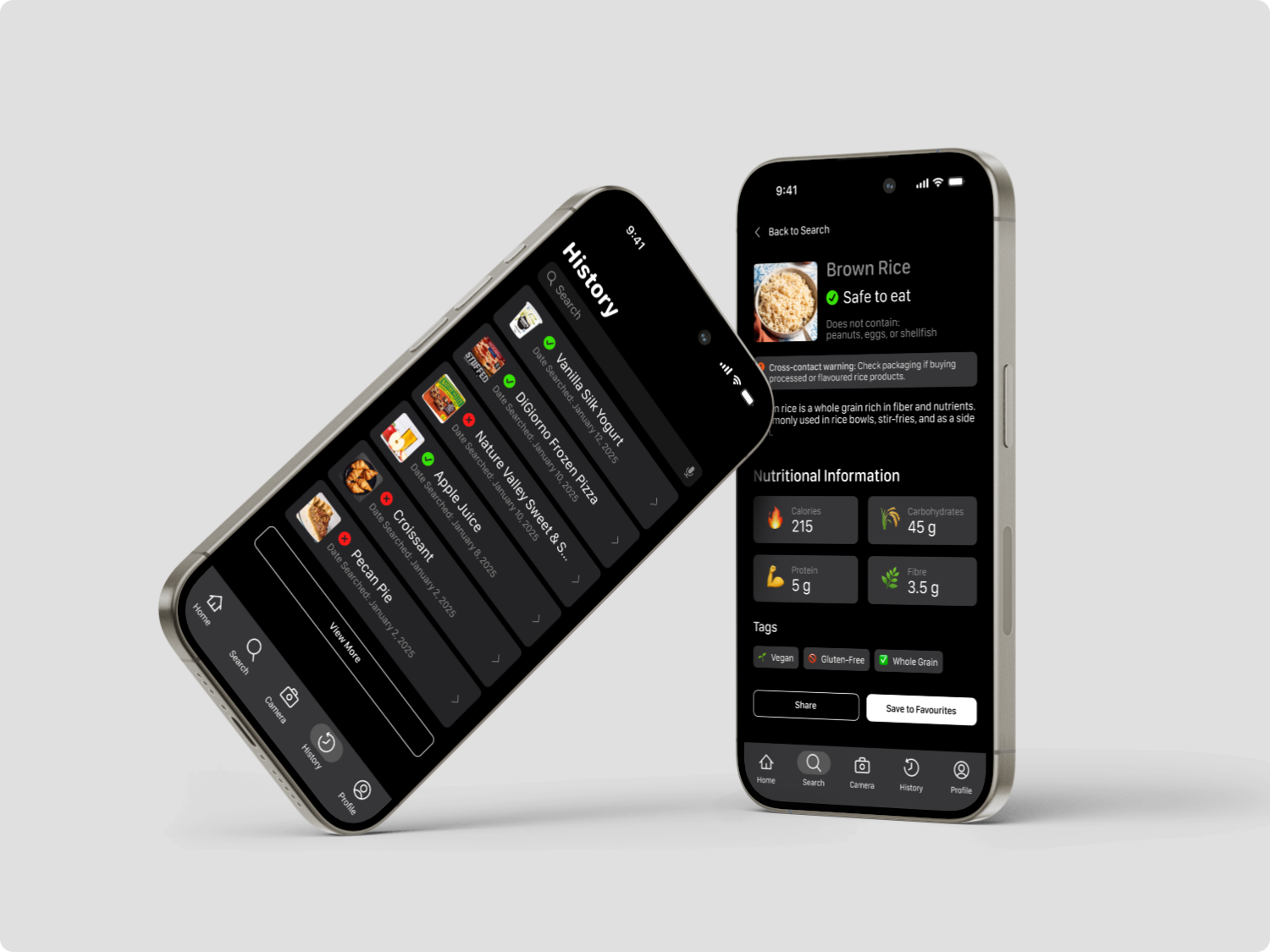
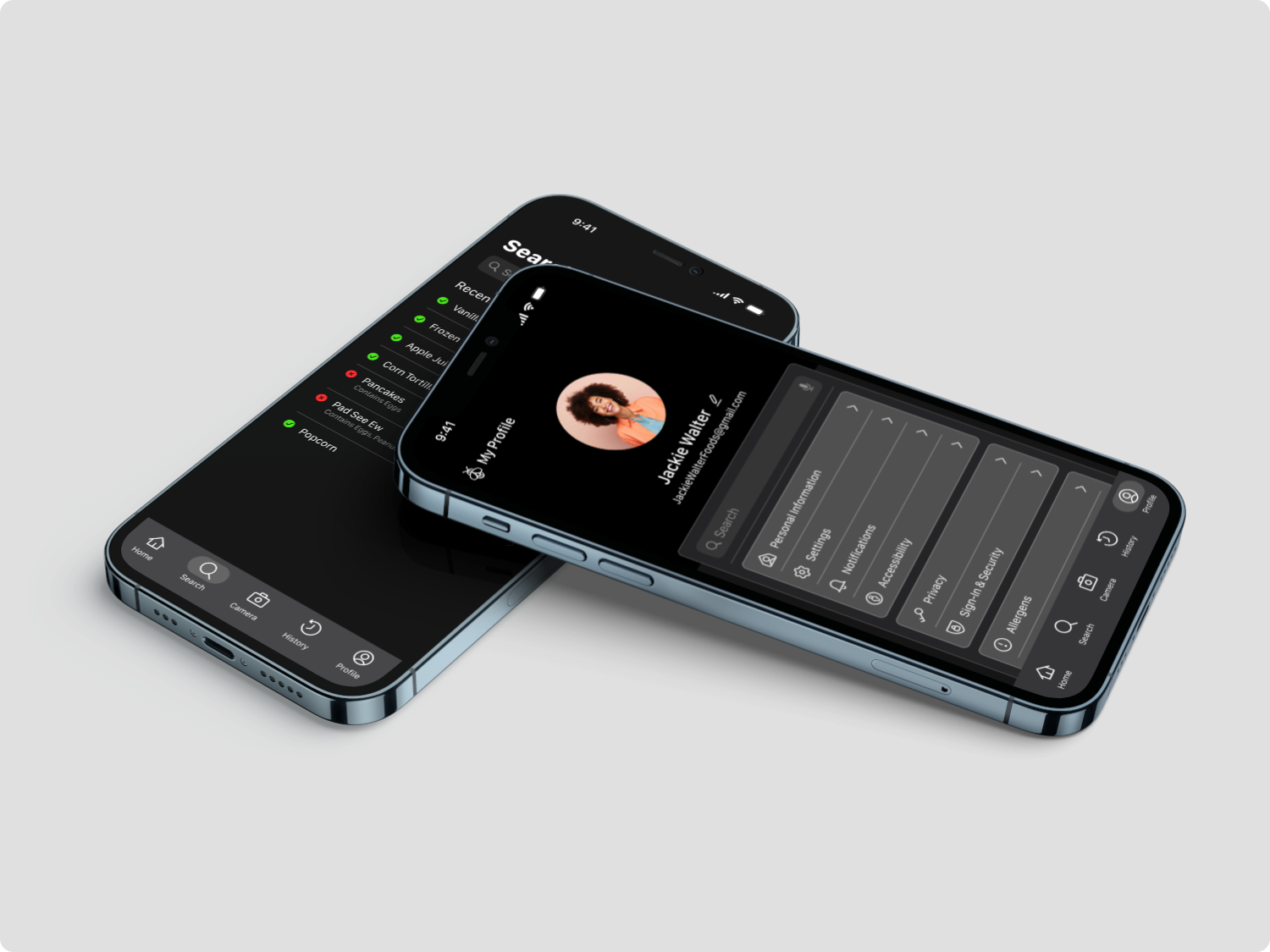
Next Steps
User testing with external participants
Testing with users outside the team will help us identify usability challenges, pain points, and gaps in the current design. It will also reduce bias and provide actionable feedback to improve the app’s overall user experience and safety features.
Add more action-item pages
We plan to expand the app with additional pages that allow users to perform more actions, such as tracking meals or managing dietary preferences. This will make the app more versatile and provide users with a comprehensive, all-in-one allergen management tool.
❤️ Thank you
Thank you for viewing my case study!
Click here to view the Figma file.
Click here if you have any questions or would like to further discuss this case study.